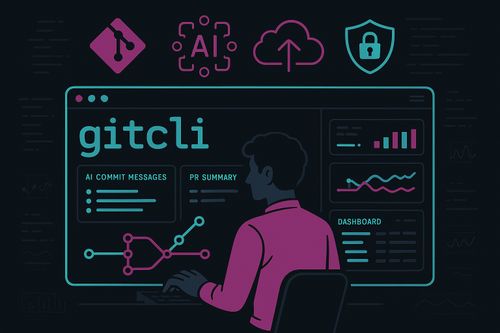
gitcli is a TypeScript-powered, Commander.js CLI that layers AI helpers, automation, and plugins on top of git. It’s published on npm as gitcli, so you can install and use it globally:
npm install -g gitcli
gitcli --help
Why gitcli
- Faster commits: AI-generated messages (
gitcli commit --ai --style conventional|casual|emoji) plus local notes with--note. - Safer changes: AI reviews (
gitcli review), conflict suggestions (gitcli resolve --ai), secret scanning (gitcli scan), and protected-branch warnings. - Better flow: predictive next-command hints, history analytics, fish-style inline suggestions, and fuzzy correction for typos.
- Cleaner repos: dirty file detector and impact hints (
gitcli impact), branch hygiene (gitcli clean), and tamper detection. - Extensible: plugin loader (
~/.gitcli/plugins), install viagitcli plugin install <url>.
AI Features
- Commit helper reads staged diff and drafts messages.
- Code review for staged changes with concise suggestions.
- Merge conflict resolver suggests merged content for conflicted files.
- Branch name generator from a task description.
- PR summary generator turns recent commits into PR title/description and can notify Slack/Discord when configured.
Developer Experience
- TUI dashboard (
gitcli ui) shows status, recent commits, and branch graph. - Command history analytics (
gitcli history stats|list|clear) plus next-command predictions. - Auto-correct for mistyped commands and inline history hints on startup.
Automation & Hygiene
- Smart pre-commit tasks runner (
gitcli hooks) for Prettier, ESLint, tests. - Smart dirty file detector inside
gitcli impactwith change area hints and cross-repo awareness via config. - Branch cleanup (
gitcli clean) and tamper detection warnings.
Security & Release
- Secret scanner on staged files (
gitcli scan). - Encrypted stash (
gitcli stash --secure [-p password]). - Changelog + semantic bump advice (
gitcli release create), remote git execution, and stash/remote helpers.
Collaboration & Cloud
- Pair mode over WebSocket (
gitcli pair start|stop). - PR notifications (Slack/Discord) for summaries.
- Cloud sync (
gitcli sync) pushes history/aliases to your configured endpoint.
Install & Link Locally
npm install
npm run build
npm link
Testing
Run Jest tests (ESM + ts-jest):
npm test
Config
Stored at ~/.gitcli/config.json:
{
  "aiProvider": "openai",
  "aiModel": "gpt-3.5-turbo",
  "aiBaseUrl": "https://api.openai.com/v1",
  "tokens": {"openai": "sk-..."},
  "linkedRepos": ["../other-repo"],
  "pluginPolicies": { "allow": ["my-plugin.js"], "deny": [] },
  "notifications": {"slackWebhook": "", "discordWebhook": ""},
  "cloudSync": {"enabled": false, "endpoint": "https://api.example.com/gitcli/sync", "apiKey": "token"}
}
AI setup: set OPENAI_API_KEY (or tokens.openai in config). Optionally set OPENAI_BASE_URL for proxy-compatible endpoints. Fallback behavior logs a stubbed response if the API call fails.
Plugins: optional allow/deny lists via pluginPolicies to skip untrusted plugins.
Sandboxing: plugins run in a VM context without require or fs; only Command/console exposed.
Secret scan: maintain .gitcli-scan-allowlist for known benign matches.
Hooks: gitcli hooks run runs Prettier/ESLint/tests; gitcli hooks install adds a git pre-commit hook to run npm test.
Platform: hook install writes both sh (pre-commit) and PowerShell (pre-commit.ps1) to support macOS/Linux and Windows (Git for Windows defaults to sh).
Architecture Snapshot
- ES modules + TypeScript compiled to
dist/. src/commandsfor Commander commands;src/aifor AI stubs;src/utilsfor config/history/security/git wrappers;src/plugins/loader.tsauto-loads~/.gitcli/plugins;src/tui/dashboard.tspowers the Blessed UI.- State lives in
~/.gitcli(config, history, notes, plugins, secure stash).
A Day With gitcli
- Start a feature:
gitcli branch create "add billing events" --ai - Stage and review:
gitcli review - Commit with AI + note:
gitcli commit --ai --note "paired with sam" - Check impact and hygiene:
gitcli impact && gitcli clean - Summarize for PR and notify:
gitcli pr summarize --notify - Quick glance at repo health:
gitcli ui
gitcli keeps you in flow—fewer context switches, smarter defaults, and a plugin-ready core. Install from npm as gitcli and bring AI, automation, and team-aware tooling to your terminal.
Benefits at a Glance
- Ship faster: AI commit messages, reviews, and branch naming reduce keystrokes and context-switches.
- Safer releases: secret scanning, tamper warnings, protected-branch reminders, and dirty file detection prevent risky pushes.
- Cleaner repos: automated branch cleanup and impact hints keep history tidy.
- Team visibility: PR summaries with notifications, pair mode, and history analytics improve collaboration.
- Extensible foundation: plugin loader and config-driven cloud sync mean the CLI grows with your workflow.
Command Reference (Key Highlights)
gitcli commit [--ai --style conventional|casual|emoji --note <text> --all --message <msg>]
Stage optionally, warn on protected branches, generate AI message if requested, and save local notes per commit.gitcli review
Runs AI review on staged diff and prints concise, actionable suggestions.gitcli resolve --ai
For each conflicted file, generates suggested merged content.gitcli branch create <description> [--ai --name <branch>]
Creates a branch; AI mode turns description into kebab-case name.gitcli pr summarize [--count <n> --notify]
Summarizes recent commits into PR title/description; optional Slack/Discord notify via config webhooks.gitcli ui
Blessed dashboard with repo status, recent commits, and branch graph; quit withq,Esc, orCtrl+C.gitcli history stats|list|clear
Stats show totals, top commands, average session length, and recent entries; list shows recent commands; clear resets history.gitcli clean [--prune-remote]
Deletes merged local branches (excluding main/master) and optionally prunes remotes.gitcli impact
Analyzes staged files, highlights likely impact areas, warns on modified key config/test files, and lists linked repos from config.gitcli plugin install <url> | list
Install ES module plugins into~/.gitcli/pluginsor list installed plugins.gitcli pair start <ws-url> | stop
Lightweight pair-programming session over WebSocket; logs incoming messages and closes on stop.gitcli remote <ssh-url> <git-command...>
Executes git commands over SSH viassh <url> git ....gitcli scan
Secret scan on staged files using heuristic regexes; exits non-zero on findings.gitcli stash --secure [-p <password>]
Encrypts staged diff with AES-256 into~/.gitcli/secure-stashand hard-resets; falls back to git stash when not secure.gitcli release create [--tag <tag> --publish --repo owner/repo --draft]
Generates changelog and manifest; can publish to GitHub usingGITHUB_TOKEN(ortokens.github) and origin-derived repo.gitcli fun streak|art|health
Streak: days with commits; art: ASCII heatmap from recent commits; health: simple repo hygiene score.gitcli hooks run|install
Run Prettier/ESLint/tests or install a git pre-commit hook to runnpm test.gitcli sync
Posts history/aliases tocloudSync.endpointwith optional Bearer API key.
Install from npm as gitcli, or develop locally with npm install && npm run build && npm link. The CLI is ready to plug into your existing repos and extend via plugins and config.